
The case fits in my hand, and it is lighter than the previous model. It slips into my pocket, so I take it with me every day.
Current cardA teleprompter for iPhone
Say it
your way.
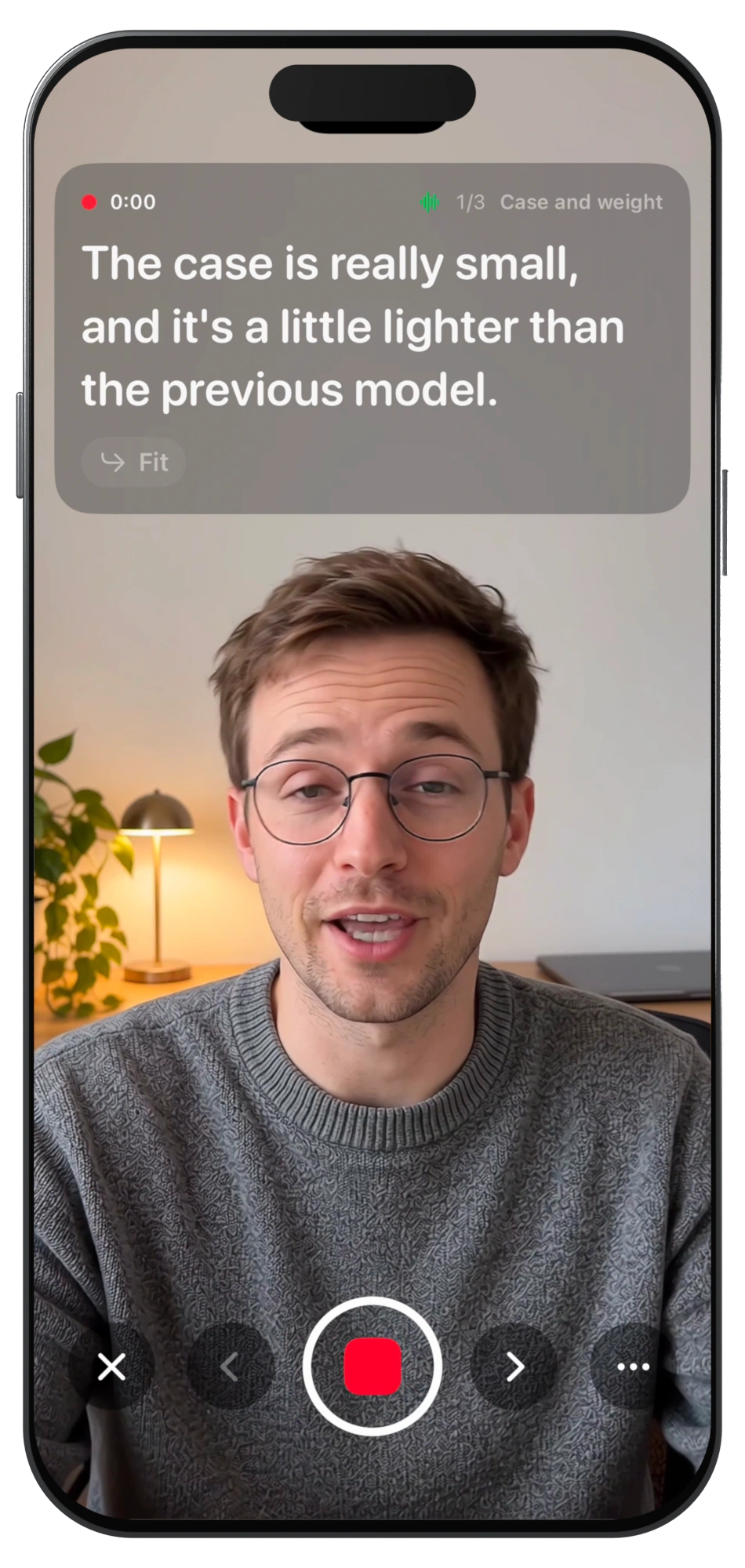
Keep your script by the lens. Speak naturally, and let the next card follow.
7 days of Pro. No subscription to start.
01 / PREPARE
A draft becomes
something you can say.
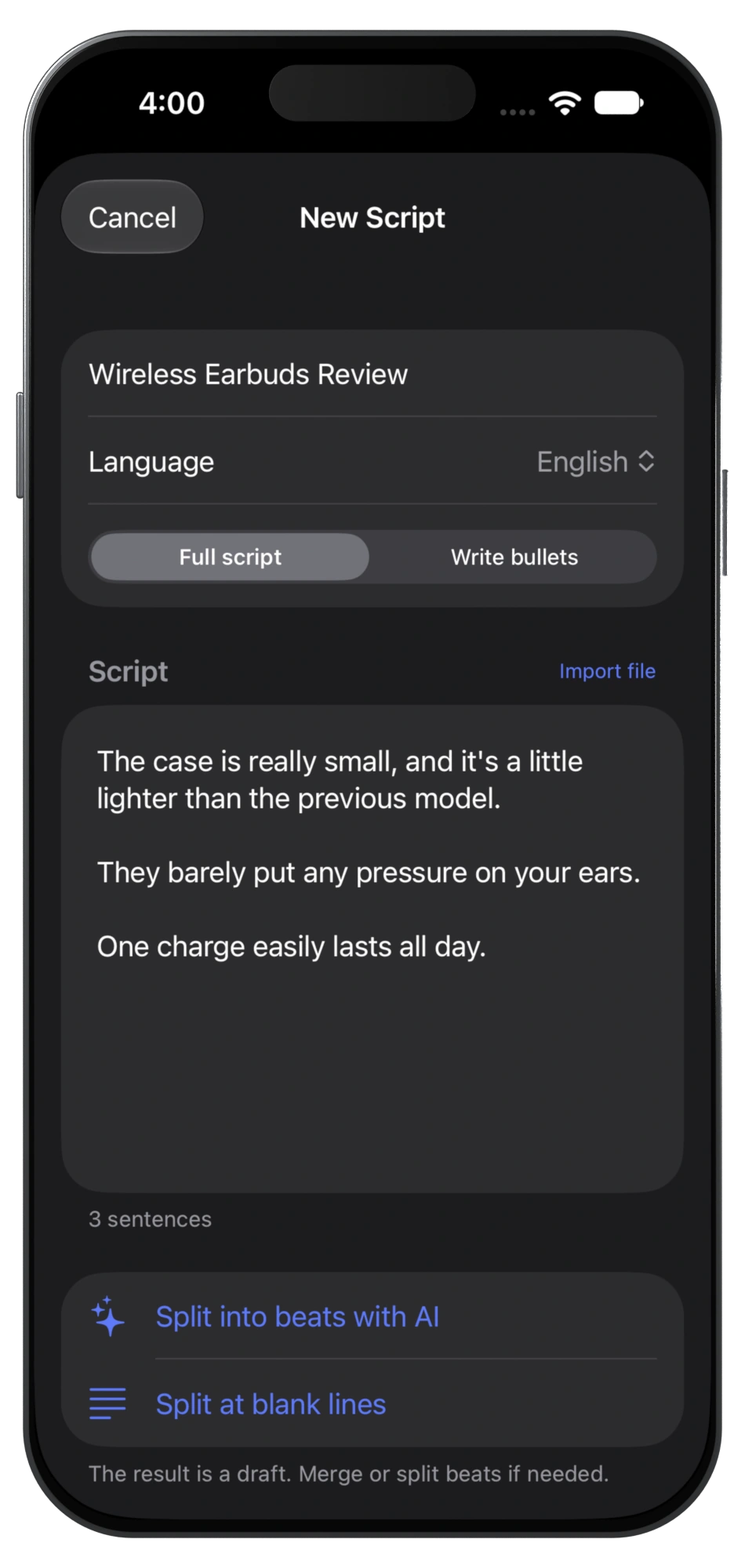
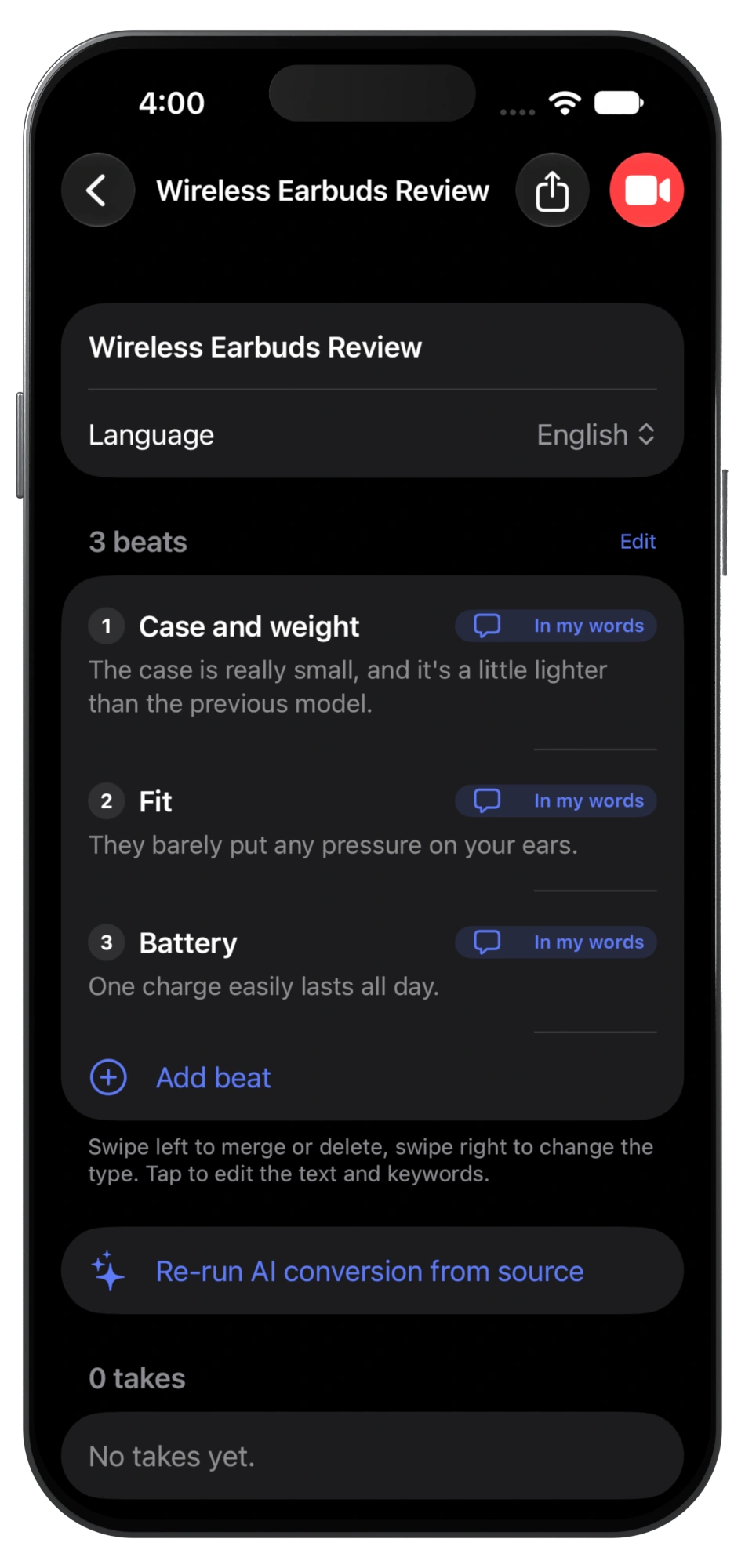
Start with your notes. Make short cards, then keep just the words you need.
02 / SPEAK · PRO
Start the next thought.
The next card follows.
You don’t have to read word for word. Rephrase the current idea, then start the next one to move to its card.
Your prepared script
The earbuds barely press on my ears, so they stay comfortable for long sessions. They also stay in place when I walk, which makes them good for my commute.
Current cardWhen you say
Card 01 stays in view.
You’re still talking about the case, even in different words.
You’re still talking about the case, even in different words.
No next-card signal yet.The next card has not met this sensitivity’s advance rule.
Card 02 comes into view.You’ve started talking about comfort, so the next script card follows.
That’s a different conversation.This example does not produce a next-card signal.
This setting finds a next-card signal.Fast mistakes this off-topic example for the next thought. Compare it with Normal.
Not enough words to score.This example has not yet filled the speech window for this sensitivity.
Examples could not load.The default example is shown. Reload to try again.
Skip the memorizing.
Say it your way, and the next card follows.
03 / FIND THE TAKE
Say “again.”
Find it in the edit.
Move back while recording. Your card changes and voice commands leave markers you can return to in Final Cut Pro.
Your voice is the remote.
Go forward, go back, start the thought again, or stop the take. Choose a command to replay the actual response.
Follow your words
along the timeline.
Spoken commands become edit markers. Pick a marker to travel to that moment and find where to retake or cut.
Marker position00:07.83
 Next beat00:01.83Go back00:04.83Again00:07.83Cut00:10.83
A clean video. The words you said.
The recording is exported without the prompter. Spoken-word subtitles are a separate SRT file, ready for your edit.
SRT follows what you actually said. Spoken-word subtitles and voice commands are Pro features.
KEEP EYE CONTACT
Your next line.
Right by the lens.
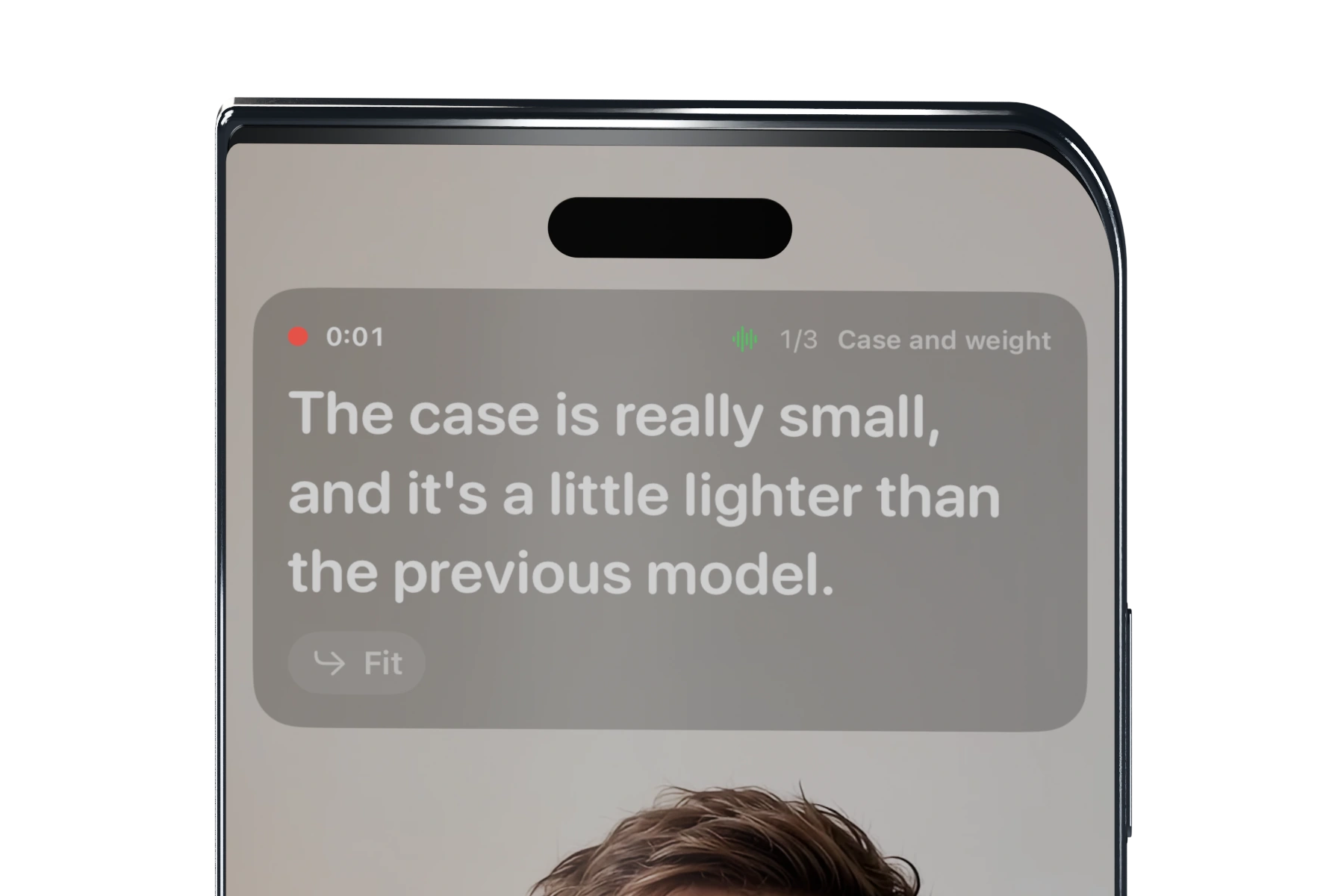
The card sits at the top of the screen. A quick glance at your words brings your eyes back to the camera.
iPhone Duo
Your best camera.
Your eyes on the lens.
Stand it half open. Your camera preview and script share the display beside the rear cameras. Recording and card controls stay along the bottom.
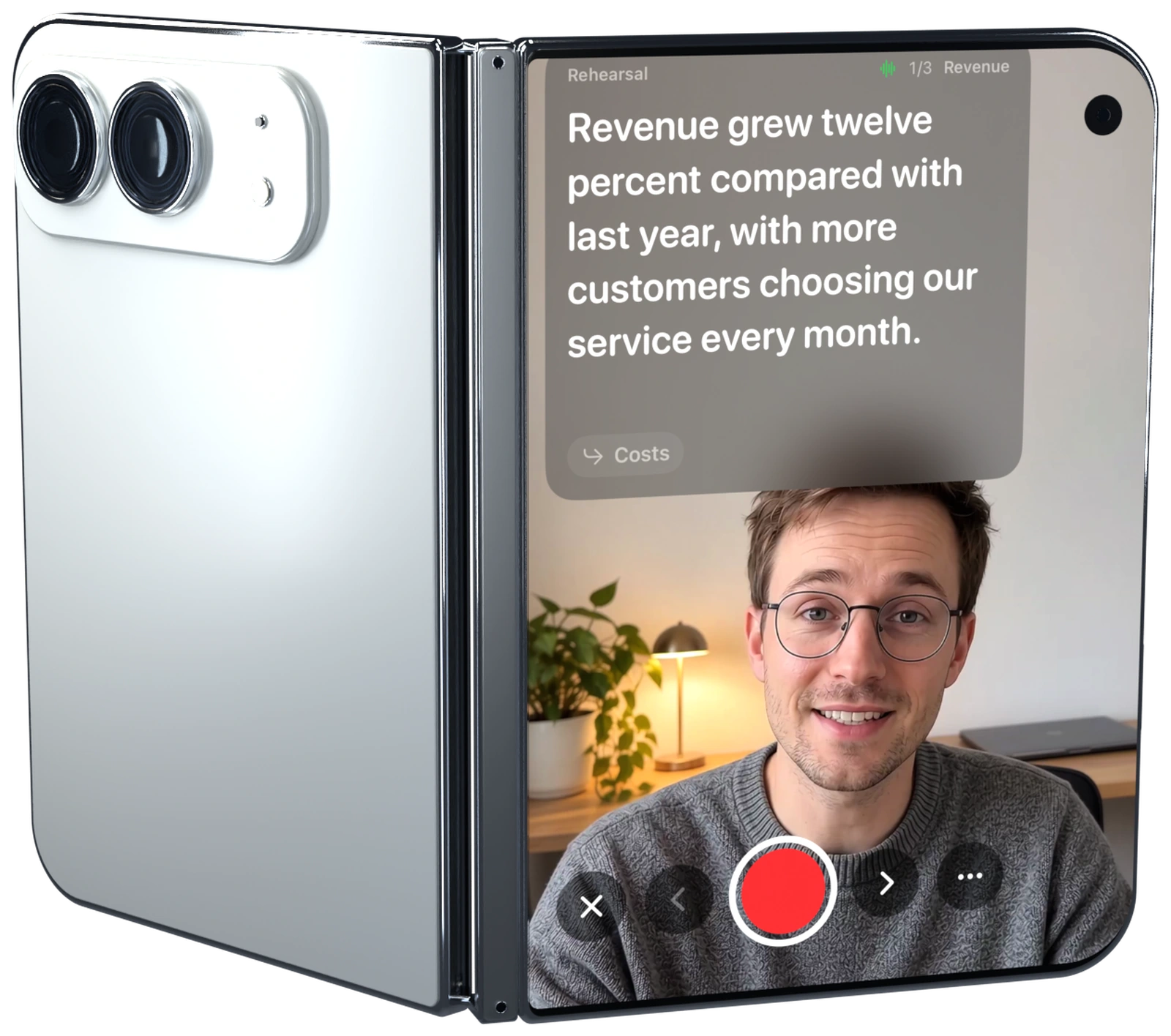
Try the cards on the display
ANOTHER WAY TO READ
Keep reading.
With your own setup.
Use a steady scrolling speed, or mirror the script for a beam-splitter prompter.
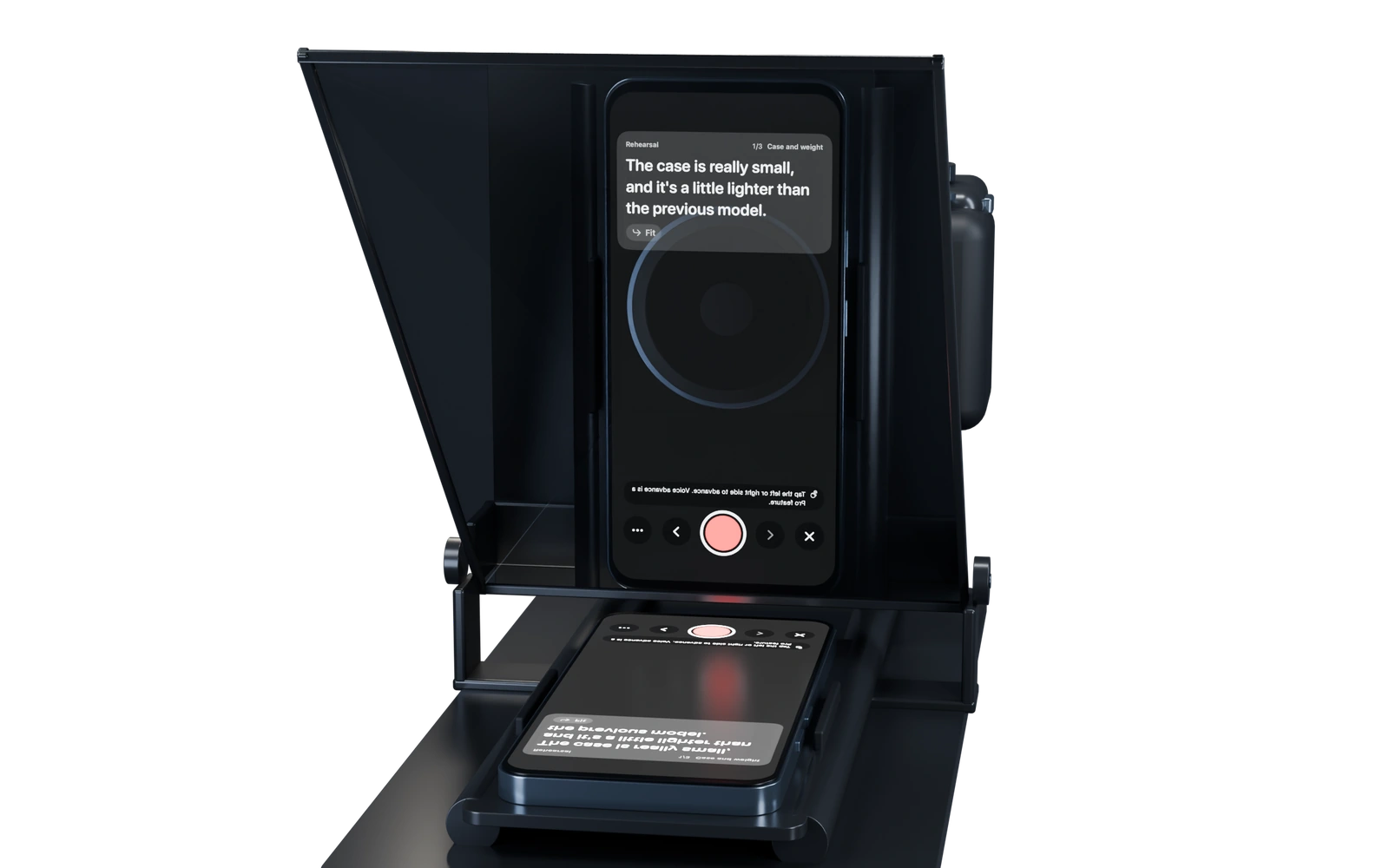
The phone sits below the glass. Mirroring makes its reflection readable.
Continuous view · Timed advance
Prefer one flowing script
to separate cards?
Choose Continuous view. Your script scrolls line by line, as shown here. For an even reading pace, record with Timed advance.
Privacy
Your voice
stays with you.
Speech recognition and card following run on your iPhone.
Recognition on your device
Speech recognition and card following run on your iPhone.
Saved on your device
Recorded video and audio are saved on your device.
Choose how to prepare
Write cards yourself or split at blank lines to prepare without sending your script.
Bring the thing
you want to say.
Product reviews, presentations, and interview practice. Keep your key points close and speak in your own words.
A product review
Case and weight. Fit. Battery life. Keep each point on its own card.
A presentation
Revenue. Costs. What comes next. Rehearse the story, not a wall of text.
An interview
Keep the keywords that matter. Leave room to answer in your own words.
Choose your plan.
Try Pro for 7 days without subscribing.
No automatic charge when your trial ends.
Free
$0
No subscription
- Steady-speed scrolling
- Manual advance & keyboard controls
- Mirror mode
- Record & save to Photos
- iPhone Duo outer display
- Duo rear-camera recording
- Video, metadata & FCPXML exports
- Script editing & Markdown import
- One AI beat-splitting trial
Pro
$2.99 / month
or $29.99 / year
- Everything in Free
- Auto-advance in your own words
- Voice commands with markers
- Hands-free recording start
- Voice-guided rehearsals
- On-device speech recognition
- Spoken-word SRT subtitles
- Unlimited AI beat splitting
Get launch news by email ↗
If you choose a subscription, it renews automatically until cancelled in Settings.
Before you hit record.
Do I need to read word for word?
No. Pro compares meaning. When you finish the card and pause, it can advance; manual controls are always available.
Can I import my existing scripts?
Yes. Paste text or import Markdown (.md). Use AI beat splitting or split at blank lines; structured Markdown can include prepared beats.
What if speech recognition is difficult?
Use steady-speed scrolling, tap to advance, or use keyboard controls. Mirror mode works with beam-splitter rigs.
Does my voice leave my device?
No audio is sent. Speech recognition runs on device. AI features may send script text or a short, ambiguous command candidate; the privacy policy has details.
What can I export?
Save to Photos, or export video, SRT subtitles and FCPXML for Final Cut Pro. Card changes and voice commands become markers. Spoken-word SRT subtitles require Pro.
Do I need an iPhone Duo?
No. On a regular iPhone the card sits near the front camera. iPhone Duo adds the outer-display prompter with rear-camera recording.
What does Pro add?
Auto-advance, voice commands, voice-guided rehearsals, spoken-word subtitles and unlimited AI beat splitting. The Free plan includes steady scrolling, mirror mode, recording and exports.
When can I download RiffCue?
RiffCue is coming soon to the App Store. Try Pro free for 7 days without subscribing. Continue with a monthly or yearly subscription if you choose.

Your words.
Your next take.
RiffCue is getting ready for the App Store. Request a launch update by email.
Get launch news by email ↗7 days of Pro. No subscription to start.